The words as spoken
No summarising, no tidying, no model deciding your subject meant something more polished. What was said is what lands in the file — which is the only version worth quoting from, and the only one worth checking against the audio.
Interview transcription
Drop the recording in and get the words back with timecodes — your subject’s name spelled right, nothing summarised, nothing sent to a transcription service and nothing charged by the minute.
macOS 14.4 or later · Apple silicon · $29 once, not per minute · 7-day trial
How it works
No account, no upload, no waiting behind other people’s jobs in someone else’s queue.
AirDrop it from the phone or recorder you interviewed with, or drop the file straight in — M4A, MP3, WAV, or the video if you filmed it. A folder your recorder syncs into can be watched, so a week of fieldwork queues itself.
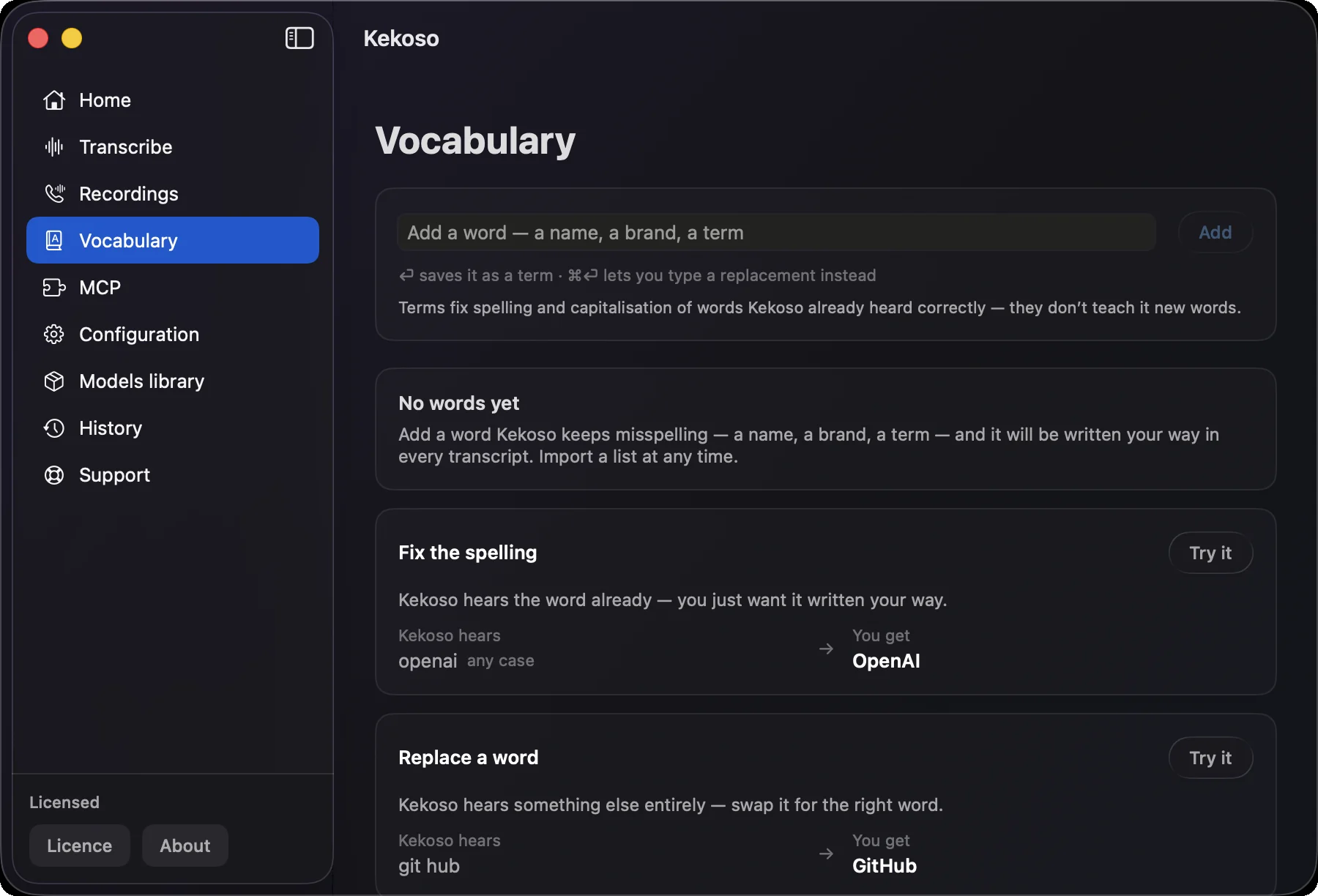
Add your subject’s name, the company, the drug, the village, the acronym everyone in that field uses. Import a list you already keep as CSV. Every transcript after that spells them your way instead of guessing phonetically.
Every line carries a timecode, so a quote leads back to the second it was said and you can check the tape before you print it. Export TXT for the write-up, SRT if the interview is going on camera.
What matters in an interview transcript
Three things decide whether a transcript is usable: whether it says what was said, whether you can get back to the audio, and whether the names are right.
No summarising, no tidying, no model deciding your subject meant something more polished. What was said is what lands in the file — which is the only version worth quoting from, and the only one worth checking against the audio.
Generic models fail hardest on exactly what an interview is full of: surnames, place names, company names, jargon. Add each one to the vocabulary once and it is fixed everywhere afterwards — dictation, files and the agent’s calls alike.
Quotes have to be checkable. Timestamps let you jump back to the moment before you commit a line to print, and they survive export, so a fact-checker or a supervisor can do the same.
Transcription services charge by the minute and typically want a dollar or more for each one. A ninety-minute interview costs nothing here beyond the licence, and so does the fifteenth one this month.
Point Kekoso at the folder your recorder or phone syncs into and each new file is queued as it arrives. Twenty interviews from a trip become twenty documents without twenty drags.
Parakeet covers 25 European languages, Whisper reaches the long tail of 99, SenseVoice handles Chinese, Cantonese, Japanese and Korean. The recognition language is set per model, or left on Auto.
Where the recording goes
Every interview starts with some version of that sentence — a confidentiality clause, an ethics approval, a source who agreed to talk on condition, or just a person trusting you with something. An interview transcription service asks you to upload the recording as step one.
Kekoso reads the file where it lies. The pipeline makes no network calls, nothing is copied anywhere, and the transcript is a plain local file you can archive or delete. Whatever you promised the person on the tape stays true without you having to read anyone’s terms of service.
How to verify that yourselfWhat it does not do
An interview recorded on one microphone comes back as one continuous transcript with timecodes, not split into interviewer and subject. Kekoso does not do speaker diarization. In practice, marking up two voices in a transcript you are going to read closely anyway is quick; if you need labels done for you, this is the wrong tool and it is better to know now.
A recorder in the middle of a café table, two people talking over each other, an air conditioner behind the voice — no model recovers those cleanly, and a bigger model will not fix what the microphone never captured. Close, quiet, one voice at a time is what makes a transcript usable.
On-device recognition is good, not perfect, and proper nouns are where every model struggles most. Plan a pass with the audio open, especially before quoting. The vocabulary removes most of the repeated corrections, not all of them.
macOS 14.4 or later · Apple silicon. Recognition leans on the Neural Engine, which Intel Macs do not have.
Questions
Pricing
Four jobs that usually arrive as four subscriptions, running on hardware you already paid for.
7-day free trial. No card to start.
macOS 14.4 or later · Apple silicon · payment handled by Lemon Squeezy
7 days, every feature unlocked, no card and no account. If it does not earn its place in your week, delete it and nothing follows you.
macOS 14.4 or later · Apple silicon