Dictation
Talk into any app
Press the hotkey, say it, and the text appears where your cursor already was — Mail, Slack, Cursor, a browser form. No per-app integration, no window to switch to.
Voice to text on your Mac: dictate into any app, drop in a recording or a YouTube link, record a call and get both sides as text, and hand your AI agents a transcription server that runs locally. One purchase — no cloud, no subscription, no account.
macOS 14.4 or later · Apple silicon · $29 once, not per month · 7-day trial

Quick note before the deposition: the client confirmed the timeline, so we can file on Thursday.
What it does
Speech to text on a Mac usually means paying three or four services to cover it — one for dictation, one for calls, one for converting files, an API key for everything else. Kekoso does all four, and the voice recognition runs on hardware you already own.
Dictation
Press the hotkey, say it, and the text appears where your cursor already was — Mail, Slack, Cursor, a browser form. No per-app integration, no window to switch to.
Files and links
Drop in an audio or video file — MP3, M4A, WAV, MP4 — a voice recording off your phone, or paste a link to a YouTube video you have the rights to. You get a clean transcript with timestamps, exportable as TXT, SRT or VTT. Hours of recording converted to text on your own machine, with nothing uploaded to convert it.
Calls
Record from your side and get a transcript already split in two: your microphone on one track, everyone else on the other. Nobody has to admit a notetaker to the meeting, and “who said what” is a property of the recording rather than a guess.
Agents
Kekoso runs a local MCP server with twelve tools. Claude Code, Claude Desktop and Codex transcribe through it, and manage your vocabulary and models — no API key, no per-minute billing, no round trip to anyone else.
The distinction
Nearly every competitor captures audio on your machine and then sends it somewhere else to be transcribed. That is a different promise than the one it sounds like. Here are the two routes your voice can take.
Your microphone
Audio captured on device
Their servers
Uploaded for recognition
Their storage
Transcript retained, sometimes for training
Recording locally is not the same as processing locally.
Your microphone
Audio captured on device
Your Neural Engine
Model runs on your Mac
Your text field
Text inserted, audio discarded
No account, no upload, no server to subpoena.
How it works
Talk to text is the whole loop, and it is three steps long: press, speak, and the words are already in the field you were typing in. No window to switch to, no file to upload, no queue to wait in.
Hold to talk, or tap to toggle. Works in every app, including the ones that block other tools. Your cursor stays exactly where it was.
The model is already warm in memory, so the first word is never clipped. A small panel shows the level so you know it heard you.
Inserted into the field you were in, with your own vocabulary applied, and written to history at the same moment — so nothing is lost if the paste misses.
The rest of it
Dictation is where most people start. These are the parts that make it worth keeping on the machine.
Translation
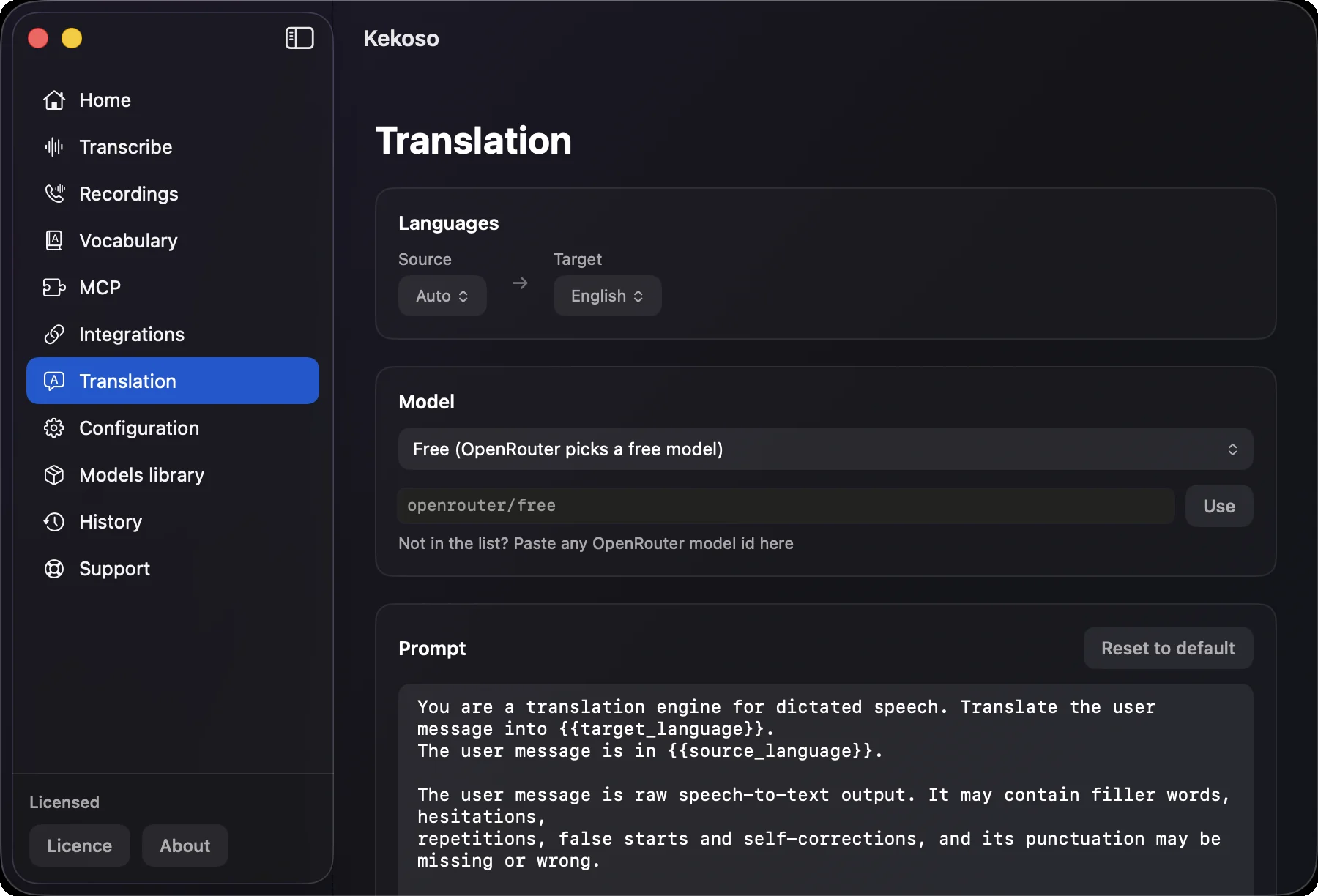
A second dictation shortcut. Say it in Russian, Spanish, Japanese — recognition still happens on your Mac — and what lands in the field is the English (or whichever language you picked). Translation goes through OpenRouter on your own key, so it costs what the model costs, and free models are one click away.
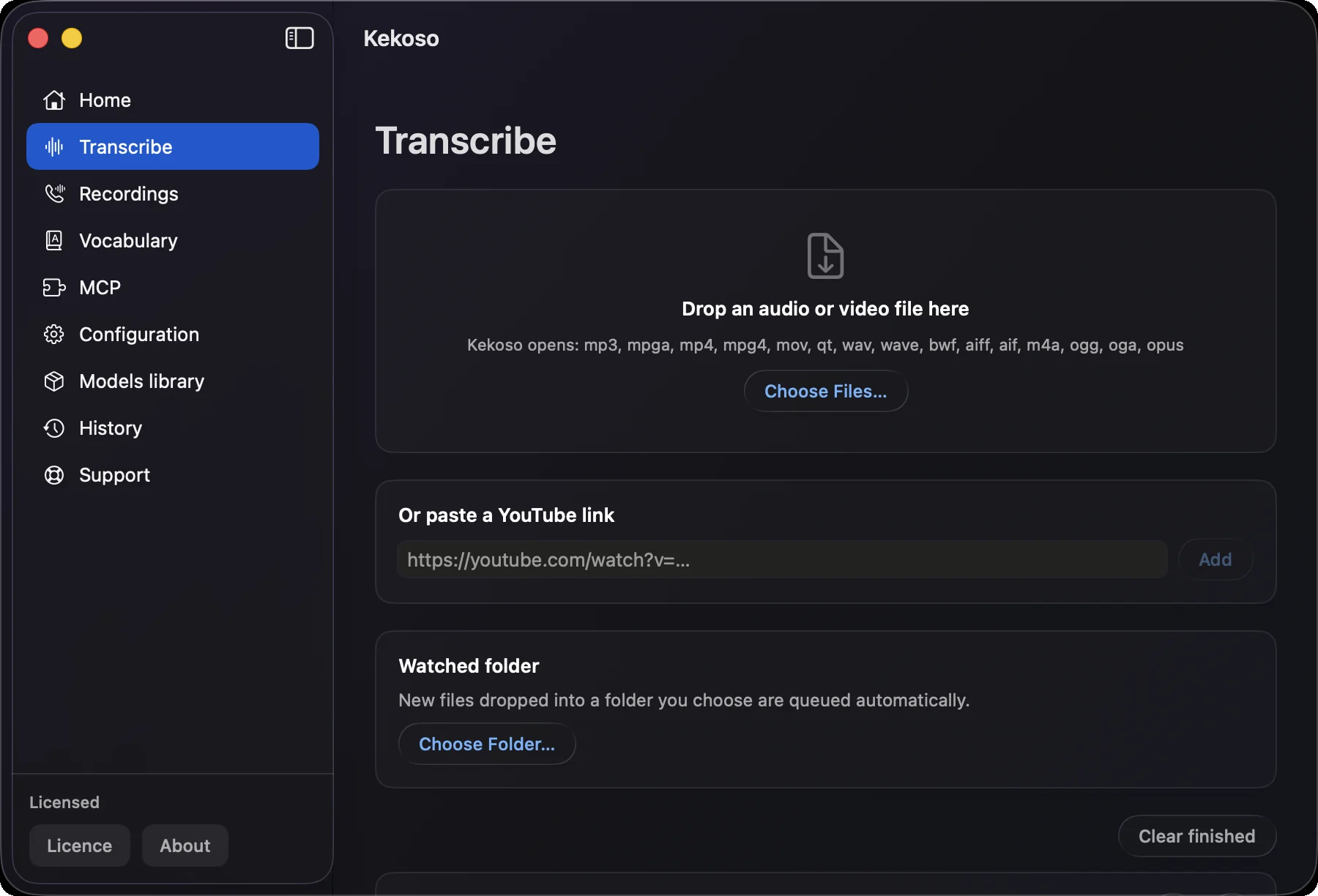
Files and links
Drag in an MP3, an MOV, a voice memo, a screen recording. Or paste a link to a YouTube video you have the rights to. Everything after that happens on your Mac — the audio-to-text conversion included — so there is no upload, no queue and no per-minute meter running.
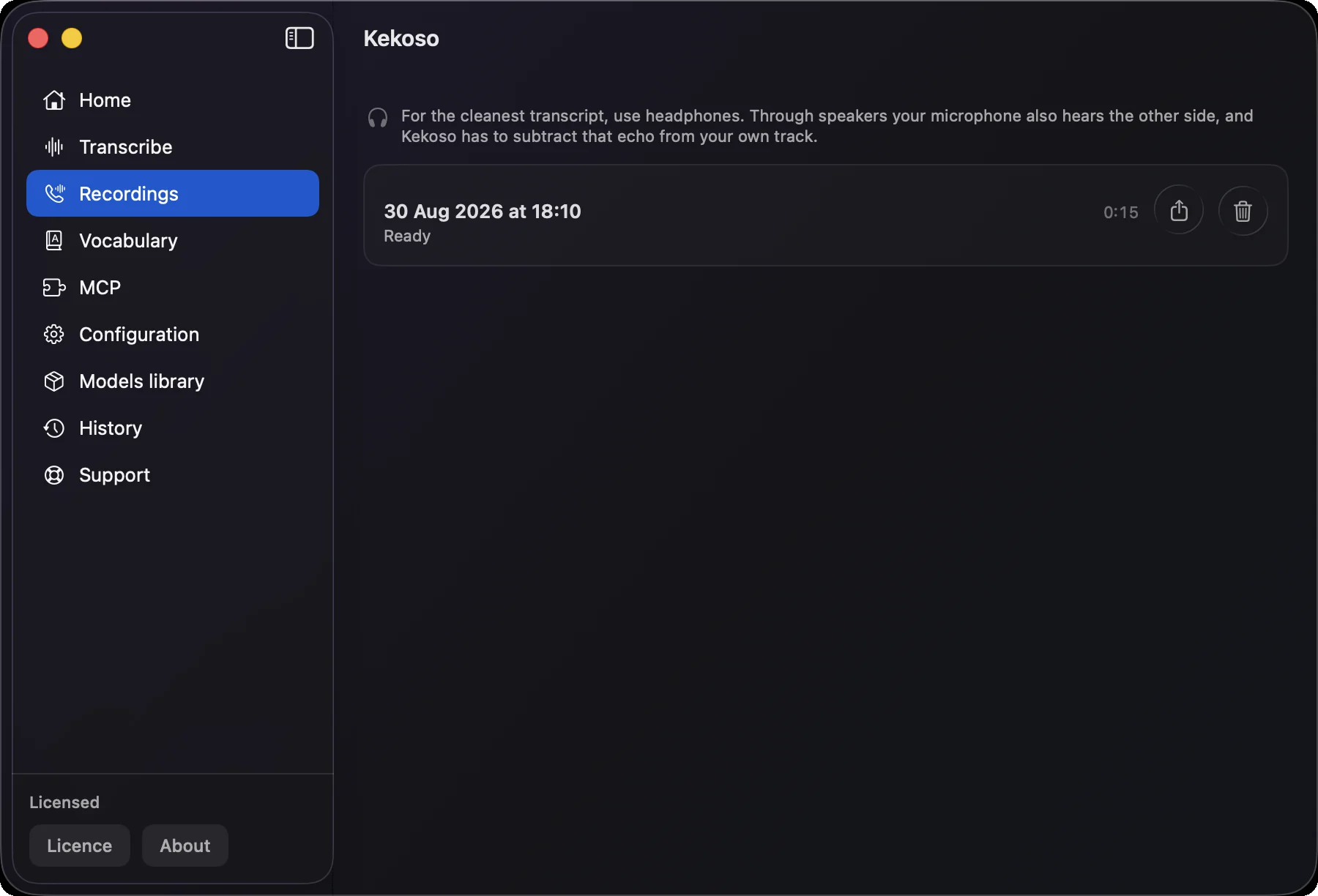
Call recording
Turn recording on before a call and Kekoso captures two streams: your microphone and everything the other side sends to your speakers. Both are transcribed separately and merged back into one timeline, so “You” and “Others” is a fact about the recording, not a guess made afterwards.
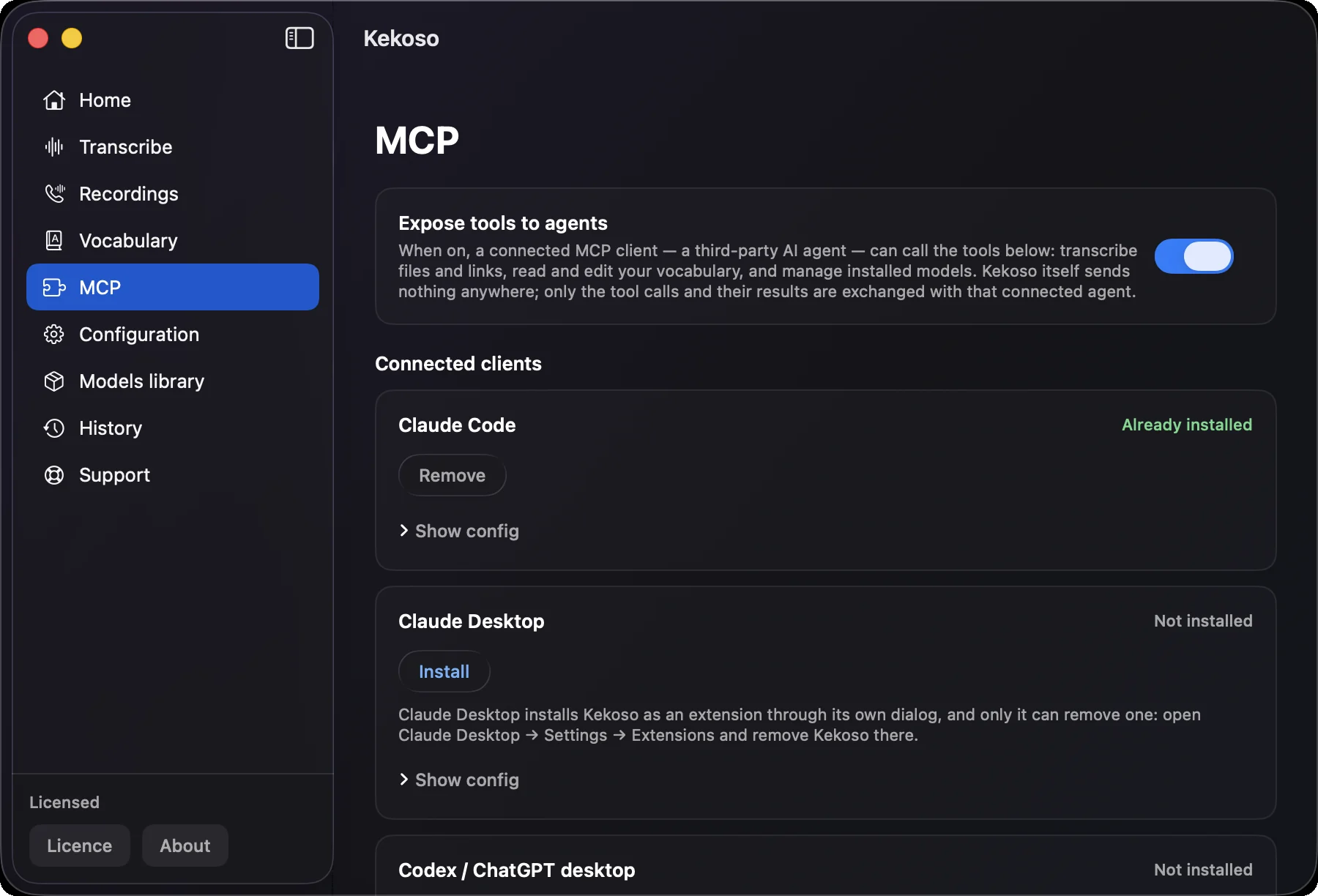
Agents
Kekoso runs an MCP server on a local socket. One click installs it into Claude Code, Claude Desktop or Codex / ChatGPT desktop, and transcription becomes something your agent can just do — no API key to leak, no per-minute bill, no audio leaving the machine.
Vocabulary
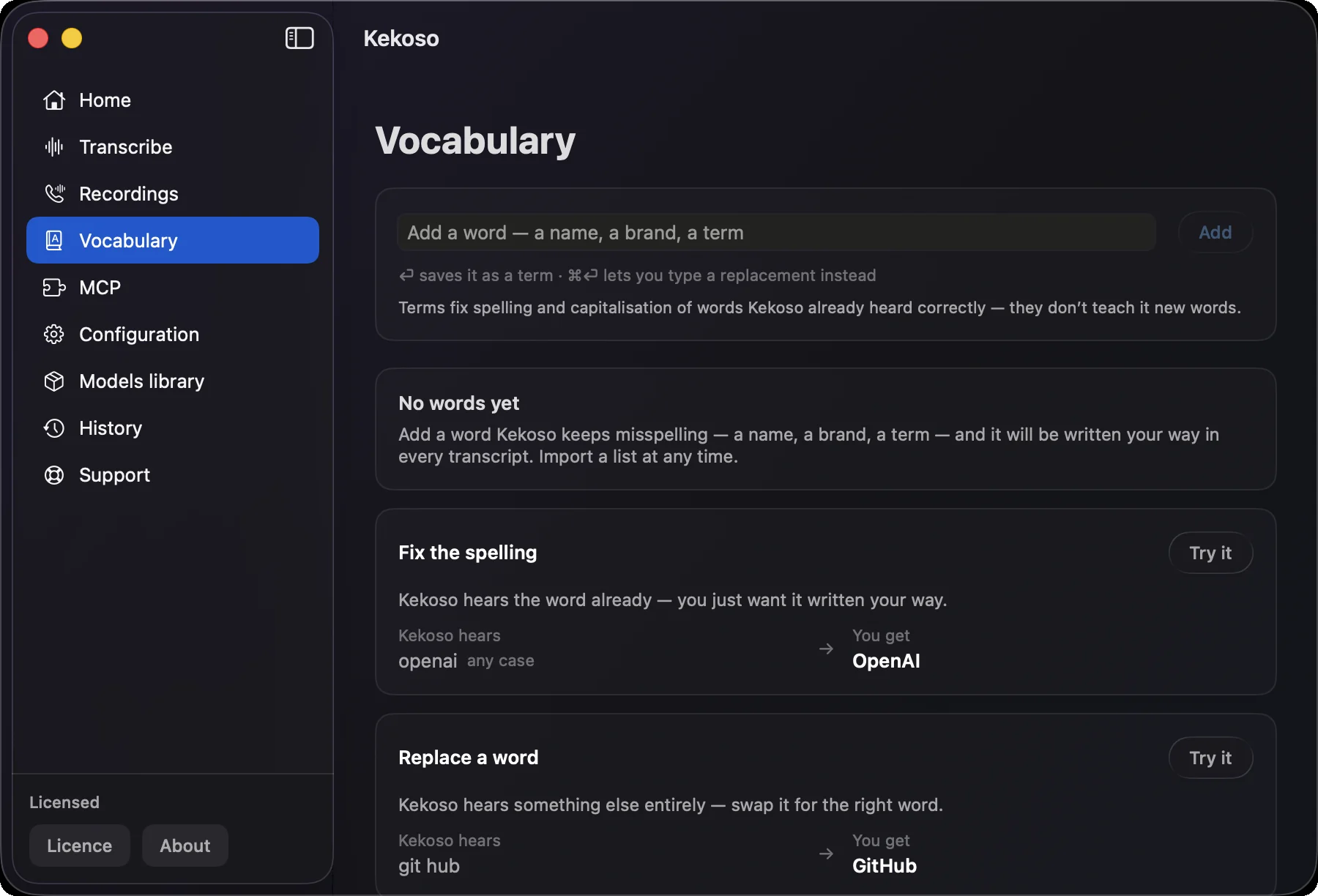
Client names, drug names, internal acronyms, the library nobody spells right. Add a word once and every transcript after that writes it your way — dictation, files, calls and the agent’s calls alike.
Models
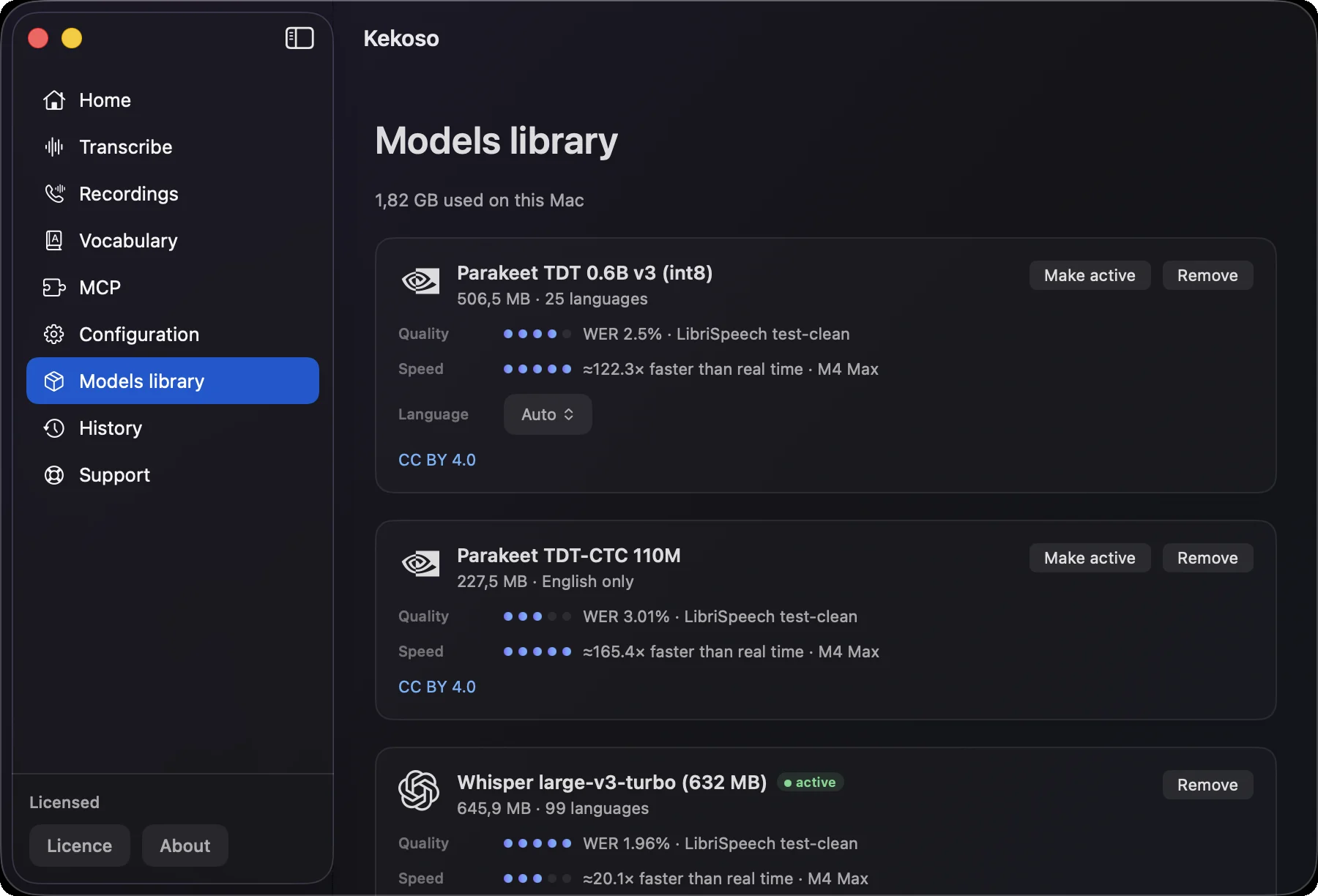
Five models from three families, downloaded on demand and kept outside the app bundle. Each card shows measured accuracy and speed on the same benchmark, so “fast” and “accurate” are numbers you compare, not adjectives we chose.
Make it yours
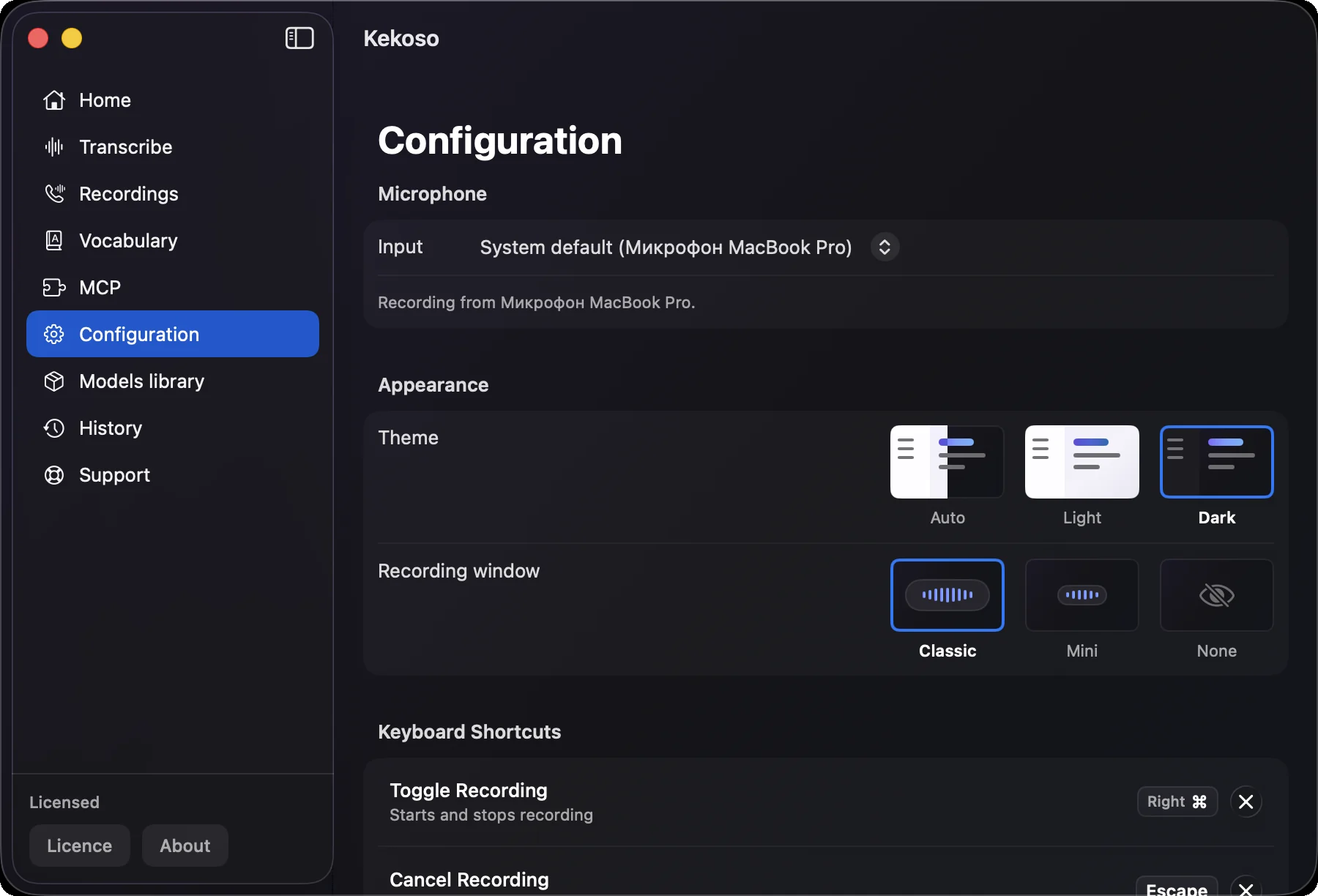
A dictation tool is on your keyboard all day. Every part of that — the key you press, the microphone it listens to, whether it makes a sound, how long it remembers — is yours to decide.
Your week, counted
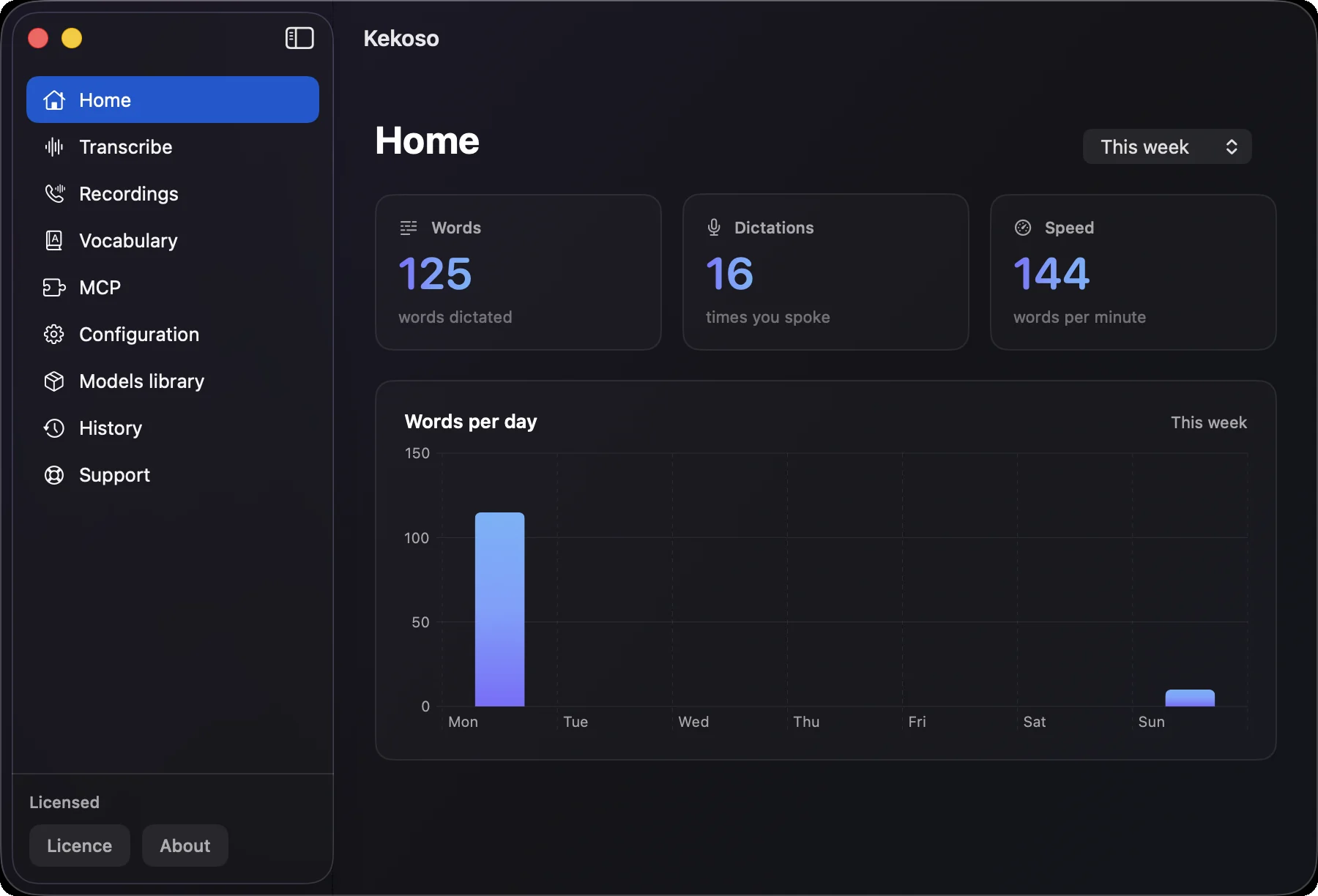
Words dictated, times you spoke and your speaking rate, for today, this week, this month or all of it — with a bar chart of the days you kept up and the days you did not.
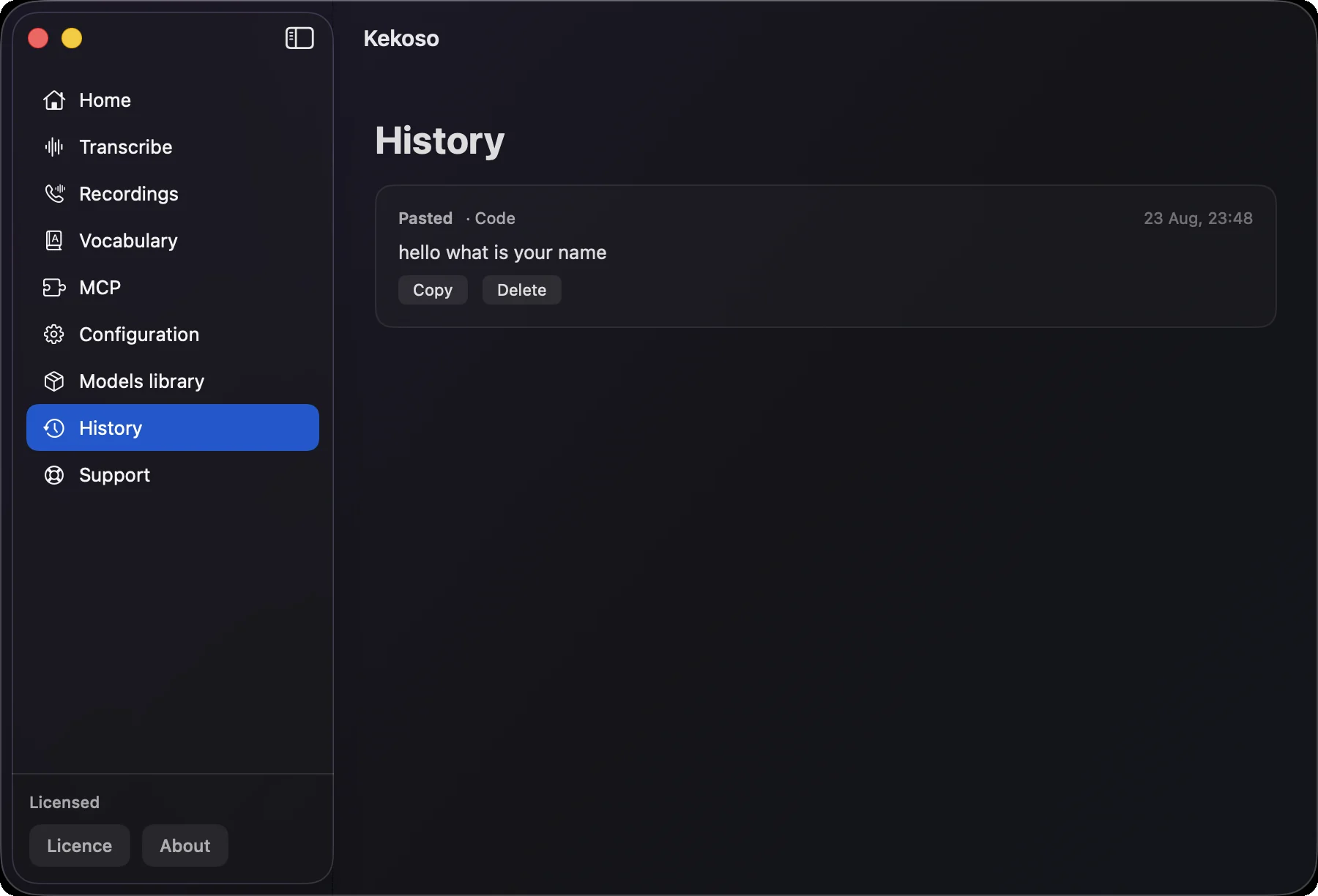
Nothing lost
Each dictation is saved with the app it went into — including anything that failed to paste, so your words survive a wrong window. Copy an entry again, delete one, or let retention clear them on a schedule.
Details
None of these sell an app. All of them decide whether you still have it installed a month later.
Mail, Slack, Notion, Cursor, the browser. The text lands in whatever field your cursor was already in, so there is no per-app integration to wait for.
Hold the key for a quick sentence, tap it for a long one. Six shortcuts in total, including a mouse button, one for call recording and one that dictates with translation.
The model stays loaded, so recognition begins the instant you press the key rather than a second and a half later.
Pick the input you actually want, and get warned when macOS has quietly switched you to the wrong one mid-call.
In a password field the system blocks every input tool, correctly. Kekoso tells you it is paused instead of silently dropping your words.
Speech models famously write subtitles credits over a quiet passage. Lines with no sound behind them are struck out before you ever see them.
Whichever the model supports — up to 99 with Whisper. Set one per model, or leave it on Auto and let it decide.
Signed updates over Sparkle, checked automatically or on demand from the menu bar, and switched off entirely if you prefer.
Privacy
Don't trust a privacy page — including this one. Turn off Wi-Fi, pull the ethernet cable, and dictate a paragraph. Kekoso keeps working, at full quality, because the model was never anywhere else. Try the same test on anything else you're considering.
The two exceptions, stated plainly
Pasting a YouTube link means Kekoso fetches that video from YouTube, so that one request goes to Google. Nothing of yours is sent: no audio of yours, no transcript, no identifier — and once the file is on your Mac, transcription is as local as everything else. Whether you may take a copy of a particular video is between you and YouTube’s terms; the feature is meant for material you own or have permission to use.
Dictating with the Translate shortcut sends the recognised text — and only the text — to OpenRouter and the model provider you chose, using your own key. Ordinary dictation never does.
# Every open network connection Kekoso holds
$ lsof -i -a -p $(pgrep -x Kekoso)

(no output)

# Airplane mode on. Dictate anyway.
$ networksetup -setairportpower en0 off
Wi-Fi is off. Recognition still runs on-device.
Point Little Snitch or Lulu at it if you prefer a GUI. You will find the same nothing.
Languages
Recognition runs in up to ninety-nine of them, depending on the model you pick. But the words that decide whether a transcript is usable are rarely ordinary ones: they are product names, acronyms and the names of the people you work with — and every model gets those wrong in the same predictable ways.
Set a fixed language if you always dictate in one, or let it detect — with detection switched off when you need it, because on short phrases every detector guesses wrong.
What you said
Push the OAuth fix to GitHub and tell Renée on Slack.
Two product names, an acronym and a colleague whose name carries an accent.
What you usually get
Push the oauth fix to git hub and tell Renee on slack.
Lower-cased, split in half, stripped of its accent. Every time, in every transcript.
What Kekoso writes
Push the OAuth fix to GitHub and tell Renée on Slack.
Add each one to your vocabulary once — every transcript after that spells it your way.
Interface
Kekoso follows macOS by default, or you pick a language in settings and only Kekoso changes. Recognition languages are chosen separately, per model — the two never fight over each other.
The maths
Speech-to-text got split into four products, each with its own subscription, each uploading your audio to a different company.
$336–840a year, indefinitely
Rough figures from typical plans, not a specific competitor. Add up your own — the point stands either way.
$29once
Pays for itself somewhere in the first month.
Pricing
Four jobs that usually arrive as four subscriptions, running on hardware you already paid for.
7-day free trial. No card to start.
macOS 14.4 or later · Apple silicon · payment handled by Lemon Squeezy
Questions
Support
Every email goes to the person who builds Kekoso. Something broken, something missing, a word your model keeps mangling — all of it is worth sending.
[email protected]Kekoso sends no crash reports and no usage data — that is the point of it. The trade-off is that we only learn something is broken when you tell us. The Support screen in the app writes the version, your macOS and the active model into the email for you.
The roadmap is not a closed document. If the thing you need is one setting away, say so — a good part of what is in the app now started as somebody’s email.
Affiliate program
If you run a site, a channel or a newsletter about Macs, privacy or developer tools, the Kekoso affiliate program pays $8.70 per licence. Your link can point at any page on this site, and the 7-day trial is covered by the attribution window.
7 days, every feature unlocked, no card and no account. If it does not earn its place in your week, delete it and nothing follows you.
macOS 14.4 or later · Apple silicon