transcribe_fileAny audio or video file on disk, with timecodes.
MCP transcription server
Kekoso runs a local MCP server with twelve tools. Claude Code, Claude Desktop and Codex transcribe through it, read your history and manage your vocabulary — with no API key, no per-minute billing and no audio going anywhere to be recognised.
macOS 14.4 or later · Apple silicon · $29 once, not per minute · 7-day trial
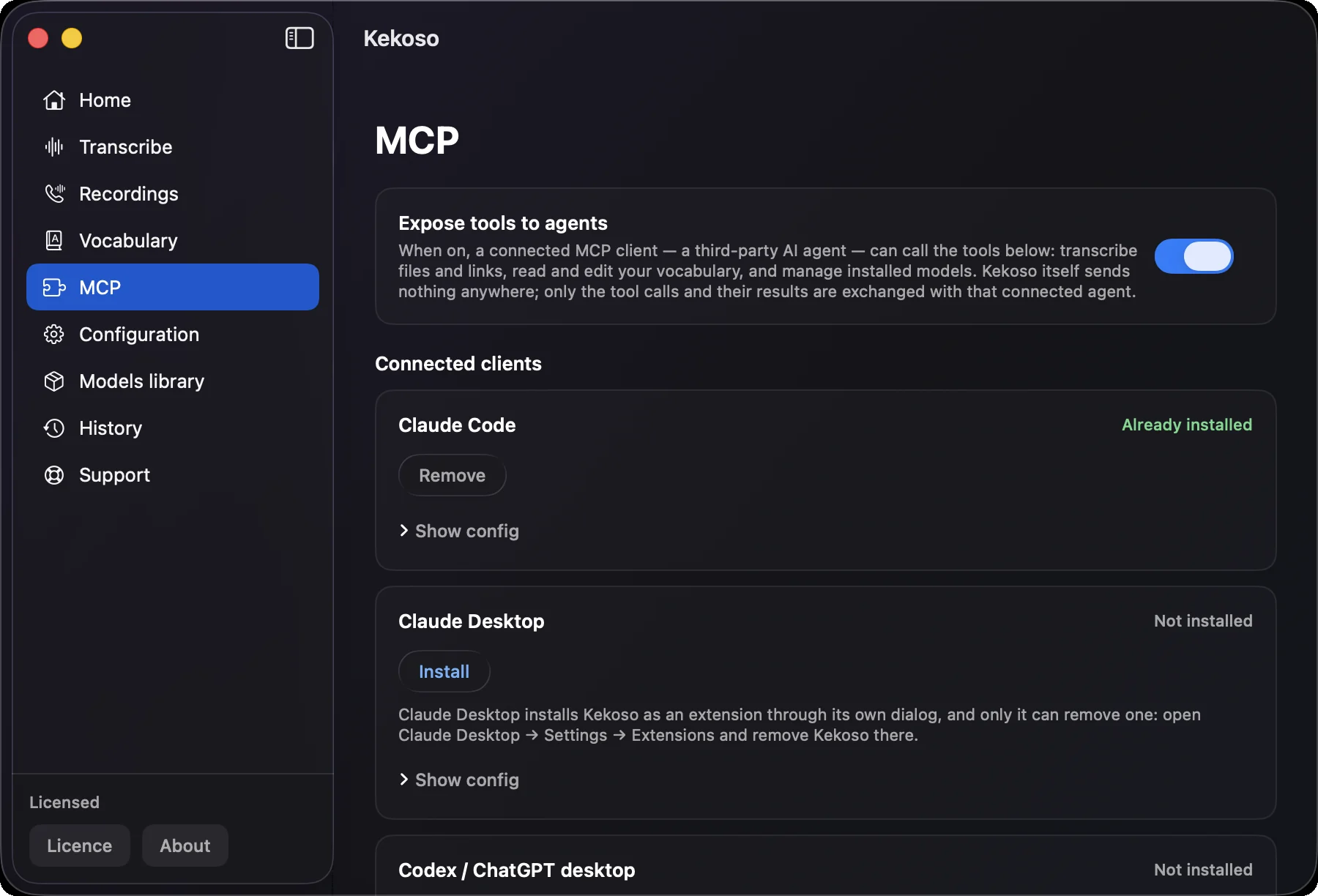
Setup
Kekoso’s MCP section installs the server into Claude Code, Claude Desktop and Codex for you, writing an entry named kekoso into the client’s own config. If you would rather do it by hand, this is the whole of it — a stdio server, one absolute path, no arguments, no key.
The path has to be absolute: the working directory a client launches the helper from is not ours to control, and it differs between clients. Restart the client afterwards and the tools appear.
{
  "mcpServers": {
    "kekoso": {
      "command": "/Applications/Kekoso.app/Contents/MacOS/kekoso-mcp"
    }
  }
}
The catalogue
Eleven when the YouTube path is turned off in your build — a tool that would fail on first call is better not offered at all.
transcribe_fileAny audio or video file on disk, with timecodes.
transcribe_urlA YouTube link, when that path is enabled in the build.
history_listPast dictations. Behind the history switch.
transcripts_listFiles and links you transcribed. Behind the history switch.
recordings_listRecorded calls. Behind the history switch.
recording_getOne recording in full, with segments and speaker tracks.
vocabulary_listThe terms and replacements you taught it.
vocabulary_addTeach it a name, a term or a replacement.
vocabulary_removeFiles a request. You confirm it in Kekoso.
models_listInstalled models, with size and measured accuracy.
model_installDownload a model on the agent’s behalf.
model_removeFiles a request. You confirm it in Kekoso.
How it is built
Which is a design problem, not a slogan. These are the decisions it produced.
When the MCP switch is off, or the licence has lapsed, tools/list still returns the full catalogue and every call is refused with a reason. Filtering the list instead is exactly the mistake behind CVE-2026-46519 in mcp-server-kubernetes, where destructive tools vanished from the listing but stayed callable by name — the advisory calls that filter cosmetic. Here the listing and the execution share no check at all.
vocabulary_remove and model_remove do not delete. They file a request, and only your click in Kekoso carries it out. The request has a time limit, and once it lapses the agent gets expired rather than a permanent pending — an agent that never hears back is an agent that tells its owner the job is done.
The four tools that read your past transcripts are gated by a separate setting that ships disabled. They stay in the catalogue with that fact written into their descriptions, so a refusal reads as a setting rather than a bug.
The server keeps a journal of what was called and when, in a plain local file you can read. There is also one switch that turns the whole thing off.
The agent gets the same on-device models the app uses. Nothing is billed per minute, there is no API key to leak into a config file, and the audio does not leave the machine to be recognised.
The helper talks to Kekoso over a UNIX socket in your Application Support folder. Nothing listens on a network port, so nothing on your LAN can reach it.
What it costs to run
A transcription API bills by the minute of audio, and an agent left to its own devices will happily push a backlog of recordings through one. Here the model is already on your disk, the work happens on your Neural Engine, and the bill does not move.
There is also nothing to leak. No key sits in your config, no token lands in a log, and a recording your agent touched has not been copied to anyone’s bucket for processing.
What it does not do
The helper is a thin client: it speaks MCP to your agent and forwards calls to the app over the socket. If Kekoso is not running it is launched; if it is not installed, there is nothing to forward to.
This runs on one Mac, for the agents on that Mac. There is no endpoint your CI can call, no team workspace and no remote mode — which is the same property that makes it free to run and private by construction.
These tools turn recordings into text. Pressing the hotkey and speaking into the field you are typing in stays a human action — an agent has no cursor to paste into.
macOS 14.4 or later · Apple silicon. Recognition leans on the Neural Engine, which Intel Macs do not have.
Questions
Pricing
Four jobs that usually arrive as four subscriptions, running on hardware you already paid for.
7-day free trial. No card to start.
macOS 14.4 or later · Apple silicon · payment handled by Lemon Squeezy
7 days, every feature unlocked, no card and no account. If it does not earn its place in your week, delete it and nothing follows you.
macOS 14.4 or later · Apple silicon