Every format a recorder produces
M4A from Voice Memos and most phones, MP3, WAV, AIFF, OGG and Opus. Video files work too — MP4 and MOV go in directly, with no step to extract the audio first.
Voice recording transcription
Drop in a voice memo, a lecture, an interview, a note you left yourself in the car. Kekoso turns the recording into text on the Mac it is sitting on — with timestamps, in up to 99 languages, and with nothing sent anywhere to do it.
macOS 14.4 or later · Apple silicon · $29 once, not per month · 7-day trial
How it works
No account to create, no file to upload, no queue to wait in. The recording is on your Mac, and so is the model that reads it.
AirDrop it from your phone, drag it out of Voice Memos into Finder, or point Kekoso at a folder your recorder already saves into. Any file macOS can play is a file Kekoso can transcribe, so to transcribe audio recording to text nothing has to be converted first.
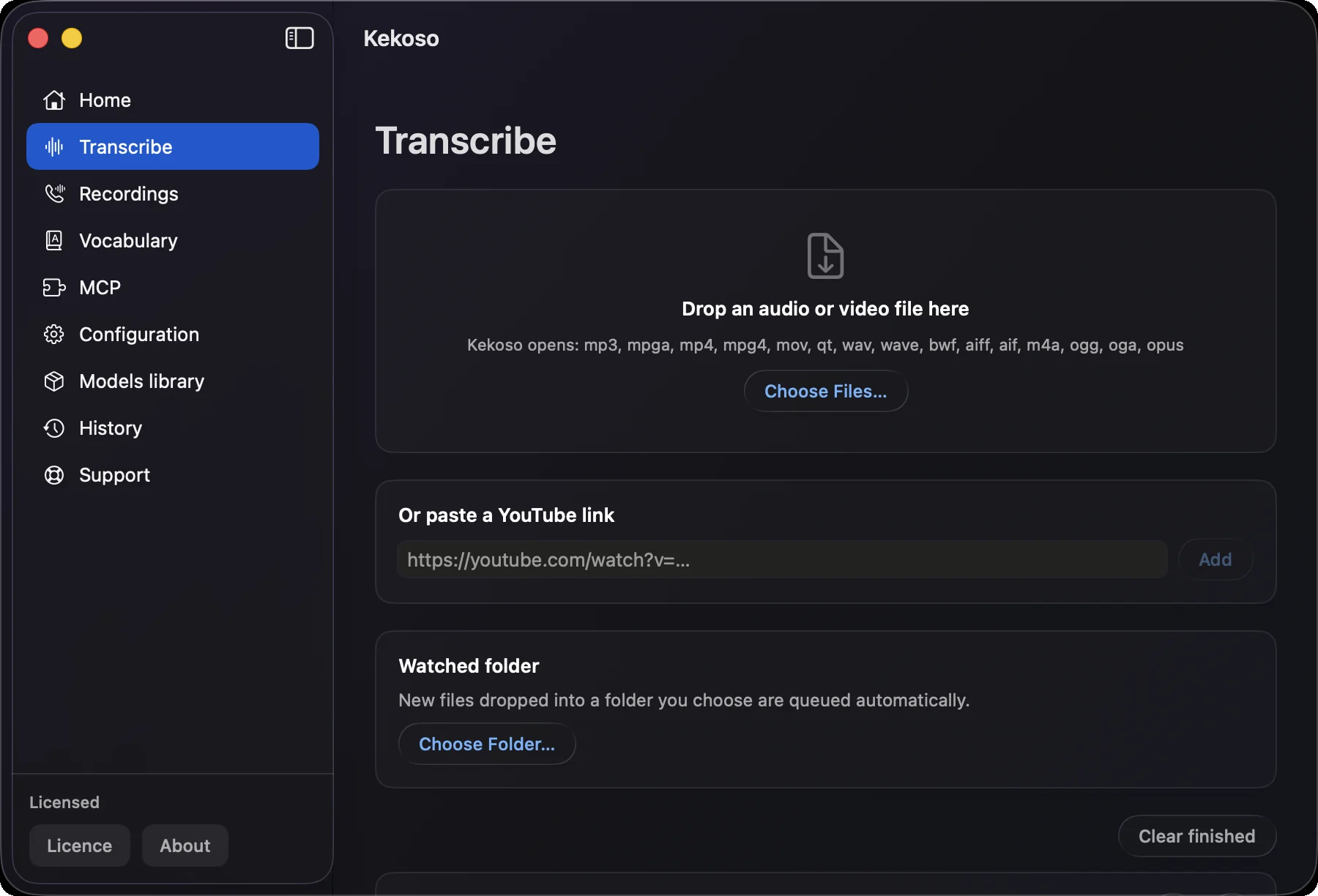
Drag the file onto the Transcribe screen, or right-click it in Finder and choose Open With → Kekoso. Recognition starts on your own machine, with the model already loaded, and nothing is queued anywhere else.
Copy the transcript, or export it as TXT, SRT or VTT with timestamps. Hand it to your notes app, your editor, or your AI agent through the local MCP server — the recording itself stays where you put it.
What it takes
Voice recording transcription usually arrives as a service with a free tier that runs out on the second file. Here the limit is your disk.
M4A from Voice Memos and most phones, MP3, WAV, AIFF, OGG and Opus. Video files work too — MP4 and MOV go in directly, with no step to extract the audio first.
A two-hour lecture or a three-hour interview transcribes the same way a thirty-second note does. Length is limited by your disk, not by a plan tier, because nothing is billed per minute.
Every transcript carries timecodes, so a quote leads straight back to the moment it was said. SRT and VTT export makes a recording of a talk into subtitles for the video of it.
Point Kekoso at the folder your recorder syncs into and every new file is queued as it arrives. Twenty interviews from a field trip become twenty documents without twenty drags.
Add a client, a drug, a product or a colleague to the vocabulary once, and every transcript after that writes it your way. Fixes for words the model already hears, replacements for the ones it does not.
Parakeet for fast English and 24 other European languages, Whisper for the long tail, SenseVoice for Chinese, Cantonese, Japanese and Korean. Each model shows its measured accuracy, so you pick the trade-off rather than trust an adjective.
Where your voice recording goes
A voice recording is usually the least guarded thing a person owns and the most revealing — a patient, a source, a client, a family argument, your own half-formed thoughts. Every online transcription service starts by asking you to hand it over.
Kekoso runs the speech model on the Mac. The transcription pipeline makes no network calls, the file is never copied, and the transcript lands in a plain local file you can open, back up or delete. Turn off Wi-Fi and transcribe something: it works exactly the same, because there was never a server in the loop.
How to verify that yourselfWhat it does not do
Kekoso does not label speakers in a recording made on a single microphone. A two-person interview comes back as one continuous transcript with timestamps. Where you record a call on the Mac itself, your side and theirs are captured as separate tracks — but a phone on a table is one track, and it stays that way.
A phone on the far side of a meeting table produces audio no model recovers cleanly, and swapping to a bigger model will not fix it. Close, quiet and one voice at a time is what makes a transcript good; the software only works with what was captured.
macOS 14.4 or later · Apple silicon. Recognition leans on the Neural Engine, which Intel Macs do not have. Every MacBook Air and MacBook Pro sold since late 2020 qualifies, along with the Mac mini, Mac Studio, iMac and Mac Pro.
Questions
Wondering whether the free route is enough? What Voice Memos transcription needs and where it stops is written out in transcribing a voice memo on a Mac. Weighing this against an online service or running Whisper yourself? The comparison is written out, costs and all, in how to transcribe audio and video to text on a Mac. If the file you have is a video rather than a recording, that has its own page: video to text.
Pricing
Four jobs that usually arrive as four subscriptions, running on hardware you already paid for.
7-day free trial. No card to start.
macOS 14.4 or later · Apple silicon · payment handled by Lemon Squeezy
7 days, every feature unlocked, no card and no account. If it does not earn its place in your week, delete it and nothing follows you.
macOS 14.4 or later · Apple silicon