Skip to content
KekosoDownload

Subtitle generator

Generate subtitles people can actually read.

Drop in a video and get SRT or VTT back. These are automatic captions grouped by the same readability rules broadcasters use, not text chopped wherever the model happened to pause — and it all happens on your Mac, so an unreleased cut stays an unreleased cut.

macOS 14.4 or later · Apple silicon · $29 once, not per month · 7-day trial

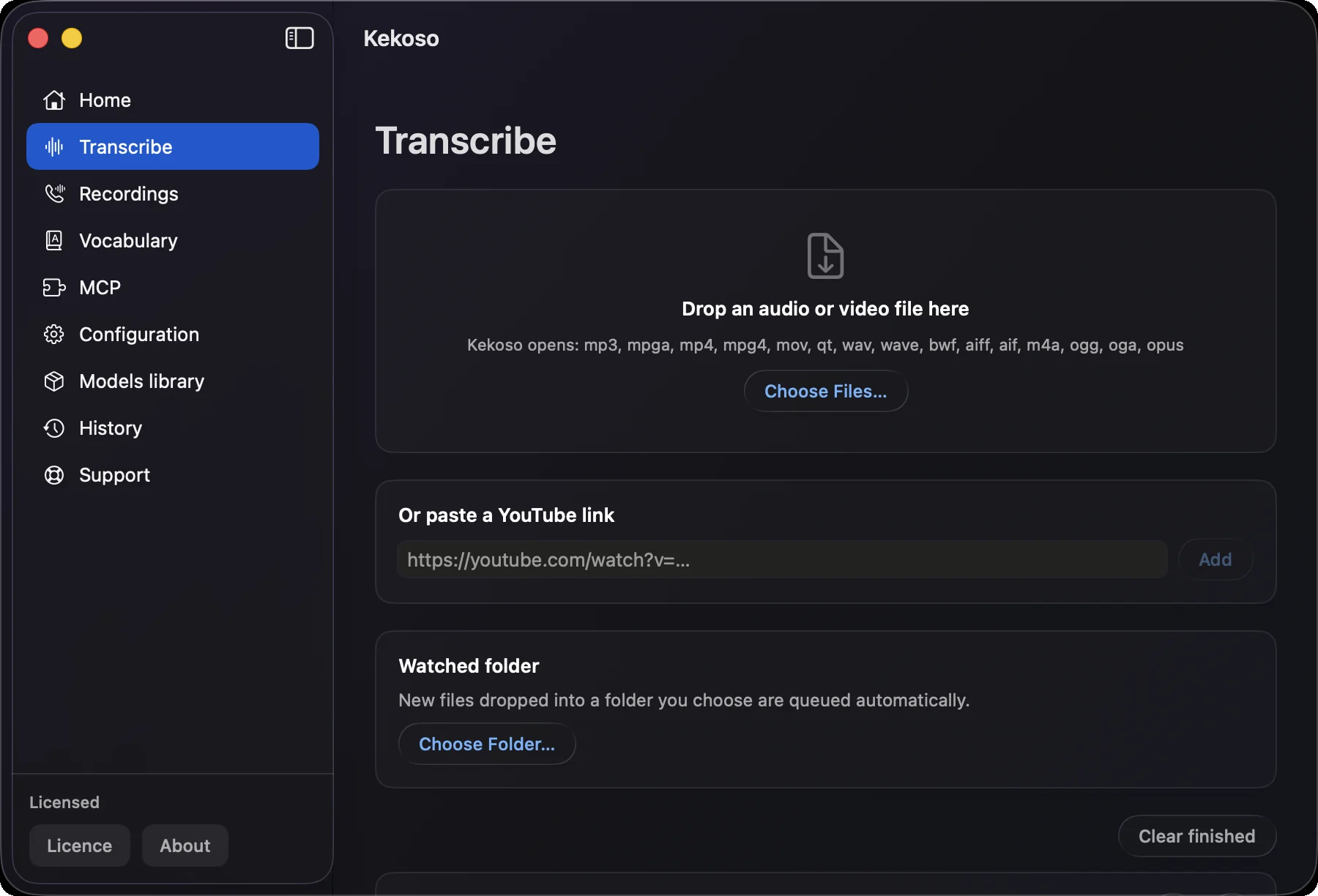
Generating subtitles on a Mac in Kekoso: a video dropped into the Transcribe screen, with SRT and VTT export

How it works

Video in, subtitle file out.

Three steps, none of which involve an upload, an account or a queue.

  1. 01

    Give it the video

    Drag in an MP4 or MOV, or point Kekoso at the folder your editor exports to. The audio track inside the file is what gets read; there is no separate extraction step and no upload.

  2. 02

    It builds the cues

    Recognition produces words with timings, and those words are grouped into caption cues by readability rules rather than chopped wherever the model paused. Line length, line count, duration and reading speed are all decided here.

  3. 03

    Export SRT or VTT

    Take the subtitle file into Premiere, Final Cut, DaVinci, VLC or a YouTube upload. TXT is there too, when you want the words without the timecodes.

What the subtitle generator does

Numbers, not adjectives.

Every subtitle generator claims accuracy. Almost none of them say what rules the cues are built to, which is the part a viewer actually feels.

Cues built to a real standard

Kekoso follows the Netflix Timed Text Style Guide: at most 42 characters per line, at most two lines per cue, each cue on screen between 0.833 and 7 seconds, and a reading speed under 17 characters per second. That is the difference between subtitles a viewer can read and text that merely appears at the right moment.

Breaks only between words

A line never splits in the middle of a word, and no word is dropped or rewritten to make a cue fit. Where speech is genuinely too fast to fit the reading-speed limit, the cue keeps every word rather than quietly trimming what you said — verbatim wins over cosmetics.

An SRT file generator that writes valid SRT

SubRip with numbered blocks and HH:MM:SS,mmm timecodes; WebVTT with its signature line, HH:MM:SS.mmm timing, and the escaping that format needs so an ampersand or a bracket in your speech does not break the file.

Silence stays silent

Speech models invent text on pauses — Whisper is famous for captioning long silences with sign-off lines that were never spoken. Kekoso drops segments with no audio behind them, which is the difference between automatic captions you can ship and ones you have to proofread for phantom lines.

Batch, not one at a time

A watched folder turns every new export into a subtitle file by itself. Ten videos from a shoot become ten SRTs while you do something else, with no queue and no per-minute charge.

Up to 99 languages

Parakeet covers English and 24 other European languages quickly, Whisper reaches the long tail, SenseVoice handles Chinese, Cantonese, Japanese and Korean. Subtitles are generated in the language that was spoken.

When a file beats burnt-in captions

And when you do not need one at all.

Auto captions that a feed draws over your video and a subtitle file you can hand to something else are answers to different questions. Here is which is which, including the case where the honest answer is that this page is not for you.

YouTube, where the file is the point

Used as a YouTube subtitle generator, this produces a file you upload rather than captions the platform guesses at. YouTube takes an uploaded subtitle track and lists SubRip (.srt) and WebVTT (.vtt) among its supported formats — with the note that SRT carries no style information and VTT supports positioning with limited styling. An uploaded track is indexable, switchable and editable later, which auto-captions burnt into the picture are not.

Editors, players and archives

Final Cut, Premiere, DaVinci and VLC all take a sidecar file directly. So does a media archive that has to stay searchable: the words live in a text file next to the video rather than inside its pixels.

Anywhere the text has to be corrected

A subtitle file is a text file. Names, terms and mishearings are fixed in a text editor in seconds, and the corrected file replaces the old one. Captions rendered into frames are fixed by re-exporting the video.

TikTok, Reels and Shorts — where it is usually not needed

These platforms generate captions themselves inside the app and draw them over the picture, and uploading your own subtitle file is not part of that flow. If the video is only ever going to a vertical feed, the built-in captions are free and already there. A subtitle AI earns its place when the same footage also goes somewhere that expects a file.

Where the footage goes

Not to a subtitle site.

To generate subtitles automatically, an online tool needs your video first. That means an unreleased edit, a client review cut, an internal briefing or a course you have not launched yet, sitting on someone else’s disk under terms you skimmed.

Kekoso reads the file where it lies. The pipeline makes no network calls, nothing is copied, and the subtitle file lands next to the video. Pull the ethernet cable and generate captions anyway — the output is the same, because there was never a server in the loop.

How to verify that yourself

What it does not do

The limits, up front.

  • Timing precision depends on the model

    Whisper reports word-level times and gives the tightest cues. Parakeet reports token times, which is close. SenseVoice reports no timings at all, so they are estimated by spreading words evenly across the window — subtitles from SenseVoice are noticeably coarser, and that is the model’s limit rather than a setting.

  • It does not burn subtitles into the video

    You get a sidecar file — SRT or VTT — not a re-encoded video with text baked into the frames. As a subtitle creator this is the whole output: a file, not a render. Every editor and every player takes the file directly, and burning in is a job for the editor, where you also control the font and the position.

  • It does not translate them

    Subtitles come out in the language that was spoken. Translating them into another language is a separate step with separate tools, and pretending otherwise would mean shipping machine translation nobody reviewed.

  • No speaker labels from one track

    A video with several people on a single microphone produces cues without names in front of them. Calls recorded on the Mac are the exception — microphone and system audio are captured separately and stay labelled.

  • Apple silicon only

    macOS 14.4 or later · Apple silicon. Recognition leans on the Neural Engine, which Intel Macs do not have.

Questions

Before the first export.

Do I need a subtitle file for TikTok, Reels or Shorts?
Usually not. Those platforms generate captions inside the app and draw them over the picture, and uploading your own subtitle file is not part of that flow. A generated SRT earns its place when the same footage also goes to YouTube, into an editor, or into an archive that has to stay searchable — anywhere the text has to exist separately from the frames.
Can I use this as a YouTube caption generator?
Yes, and the difference from the built-in one matters: here you generate YouTube subtitles as a file you own and can edit, rather than letting the platform caption the video for you. Both exported formats are accepted.
Which subtitle formats does YouTube accept?
Both of the ones exported here. YouTube lists SubRip (.srt) and WebVTT (.vtt) among its supported caption formats, noting that SRT carries no style information and that VTT supports positioning with styling limited to bold, italic and underline. An uploaded track stays editable and indexable, which captions burnt into the video are not.
How do I generate subtitles for a video on a Mac?
Drop the video into Kekoso and export the result as SRT or VTT. Subtitle generation runs entirely on the Mac, so to generate SRT file output you need nothing but the video and the app. Unlike an online subtitle maker there is no upload step. Recognition runs on your machine, the words are grouped into cues by readability rules, and the file that comes out loads directly into an editor, a player or a YouTube upload. Nothing is uploaded and nothing is billed per minute.
What makes these captions different from any other auto caption generator?
Most tools cut a cue wherever the model paused, which produces lines that are too long to read or flash past too quickly. Kekoso groups words to the Netflix Timed Text Style Guide: 42 characters a line, two lines a cue, 0.833 to 7 seconds on screen, under 17 characters per second of reading speed, and breaks only between words.
Can I get an SRT file specifically?
Yes — to create SRT file output, pick SRT on export; there is no separate mode to switch into. SRT, VTT and plain TXT are the three export formats. SRT is the one almost everything accepts — Premiere, Final Cut, DaVinci Resolve, VLC, YouTube — and it is written with numbered blocks and comma-separated milliseconds exactly as the format specifies.
Does it burn the subtitles into the video?
No. You get a subtitle file alongside the video rather than a re-encoded copy with text in the frames. Load the file in your editor when you want them burned in — that way the font, size and position are yours to choose.
Can it translate the subtitles into another language?
No. Subtitles are generated in the language that was spoken. Translation is a separate job, and shipping unreviewed machine translation as a feature would do you no favours.
Are the captions accurate on quiet passages?
Speech models tend to invent text on silence — Whisper will happily caption a long pause with a sign-off line nobody said. Kekoso removes segments with no audio behind them, so quiet shots stay empty instead of picking up phantom lines.
Is the video uploaded to make the subtitles?
No. The models run on your Mac and the pipeline makes no network calls, so an unreleased cut or a client video never leaves the machine. Turn off Wi-Fi and generate subtitles — the result is identical.
What does it cost?
$29 once, for up to 3 of your own Macs, with a 7-day trial and no card to start. There is no per-minute charge, so the length of the video and the size of your backlog stop being budget questions.

Pricing

Buy it once. It's a tool, not a tenancy.

Four jobs that usually arrive as four subscriptions, running on hardware you already paid for.

$29once

7-day free trial. No card to start.

  • Dictation, files and links, call recording and the MCP server — all of it
  • No per-minute billing, no monthly cap, no usage dashboard
  • Use it on up to 3 of your own Macs
  • Free updates through the whole 1.x line
  • Works offline indefinitely; no license check to phone home weekly
  • 30-day refund, no argument, no questionnaire

macOS 14.4 or later · Apple silicon · payment handled by Lemon Squeezy

Try it on your own words.

7 days, every feature unlocked, no card and no account. If it does not earn its place in your week, delete it and nothing follows you.

macOS 14.4 or later · Apple silicon